
Live Operations
See the work while it is happening
Managers can watch active field work, track jobs and technicians, and open the work-order detail behind every status — without waiting for paperwork to come back.
Learn more →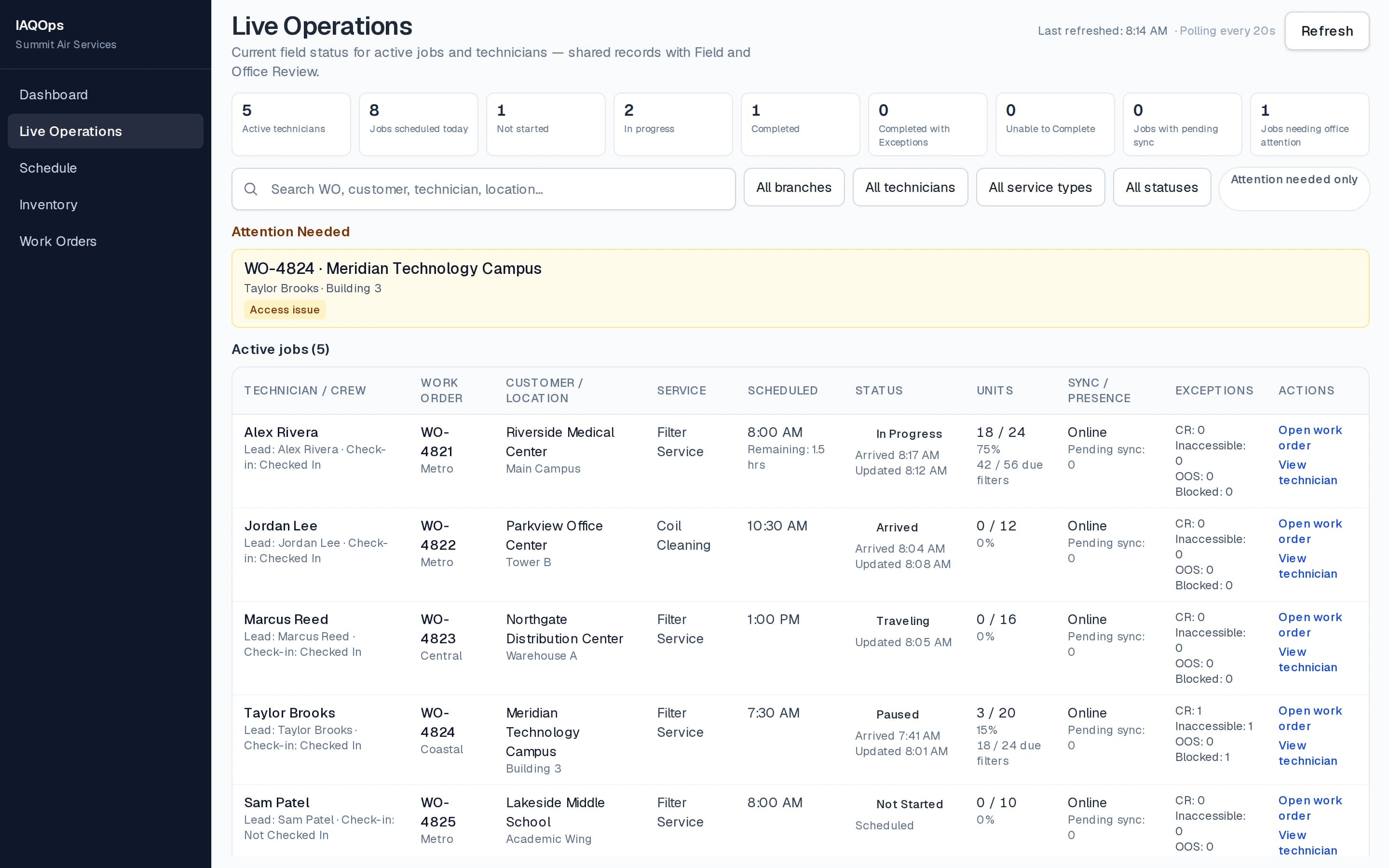
Built for IAQ operations. Not adapted to them.
Plan the work. Prepare the inventory. Execute in the field. Verify the service. See it live — connecting office, warehouse, technicians, QC, and completed service records.
How IAQOps runs the job
IAQOps connects office, warehouse, field, QC, and completed service records — and is being built to help operations leaders understand what the work actually means.
Operational control
IAQOps is a complete IAQ operations platform — not generic field-service software with IAQ labels added later.
Live Operations
Managers can watch active field work, track jobs and technicians, and open the work-order detail behind every status — without waiting for paperwork to come back.
Learn more →Scheduling
Recurring service, work-order scheduling, technician assignment, branch visibility, and manual dispatcher control — with jobs linked directly to the schedule.
Learn more →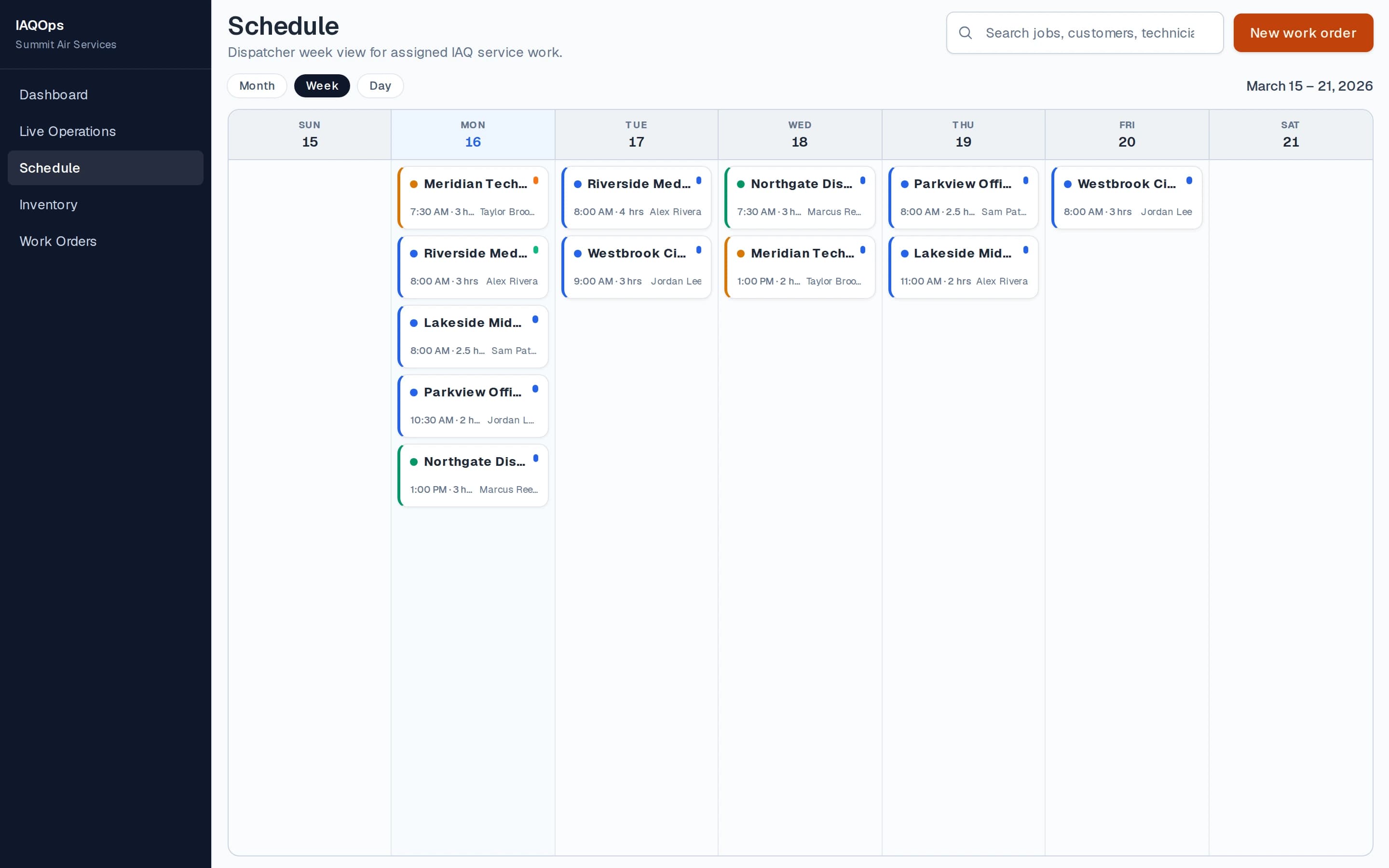
Inventory
Inventory tied to upcoming work orders, required materials from scheduled work, shortage drill-down, allocated stock, receiving, and filter inventory readiness.
Learn more →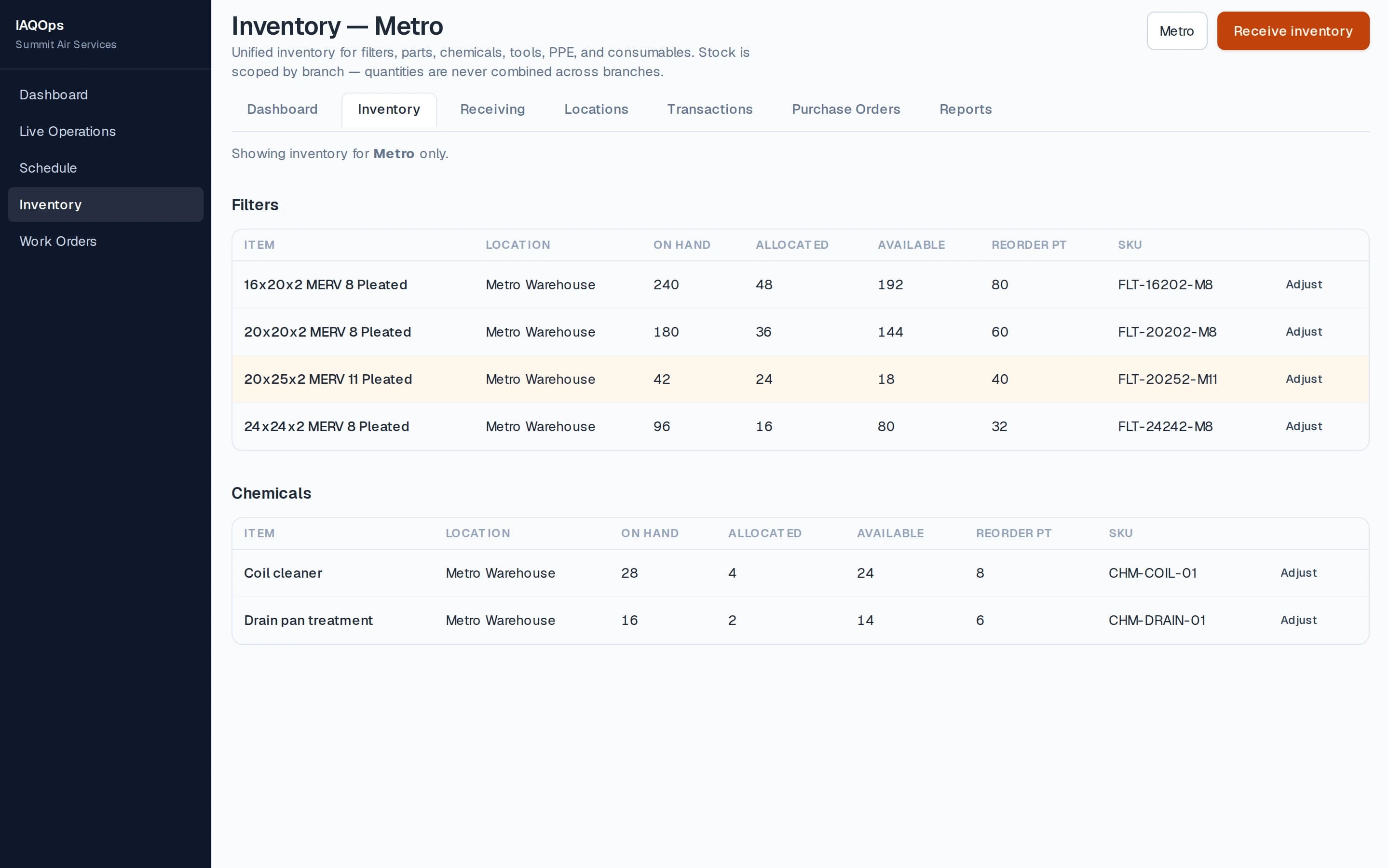
Field Operations
Assigned work, service-specific workflows, photos, sync/retry, change requests, multi-technician jobs, and field updates that flow straight back to the office.
Learn more →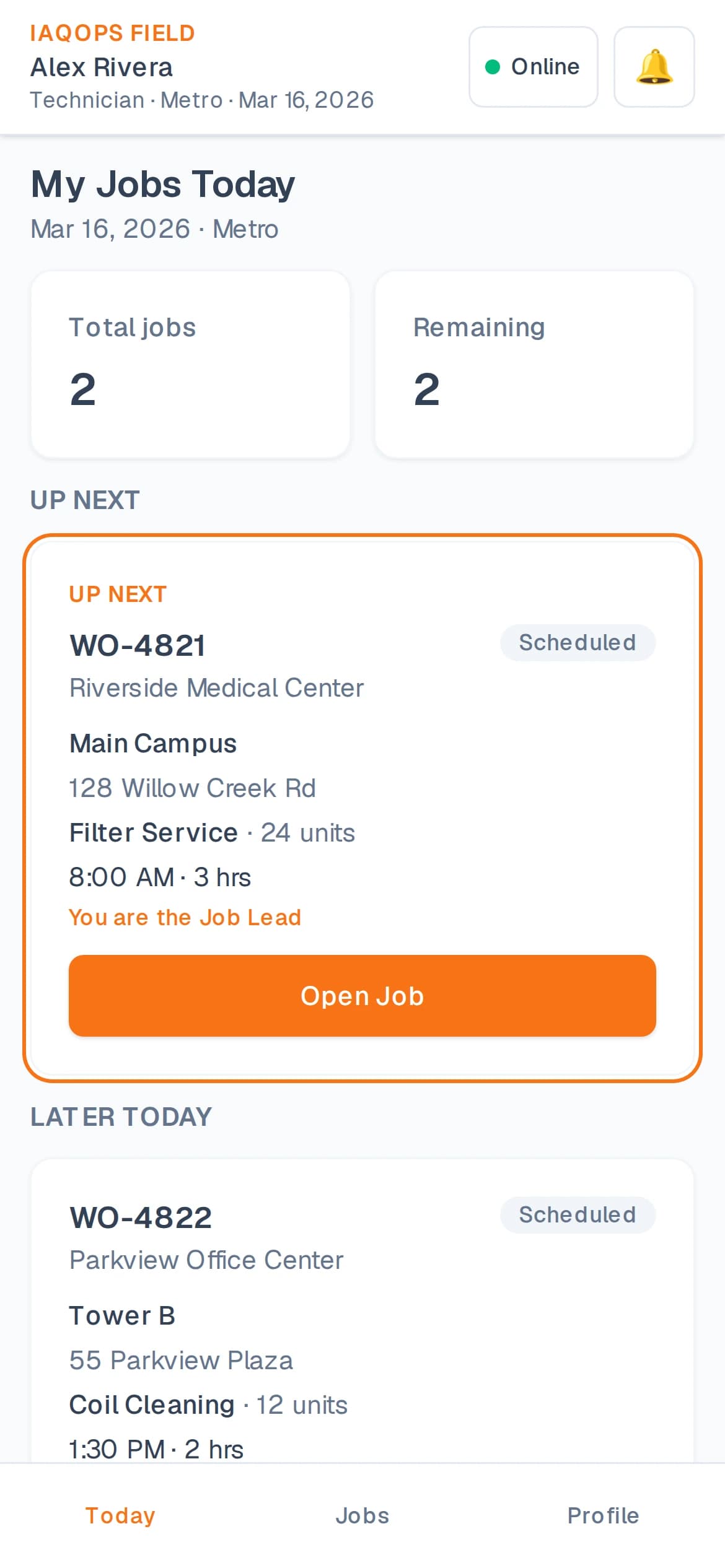
AI & Quality Control
Required-photo enforcement, Random QC Challenge, duct and coil visual QC, duplicate-photo detection, and practical service-integrity controls.
Learn more →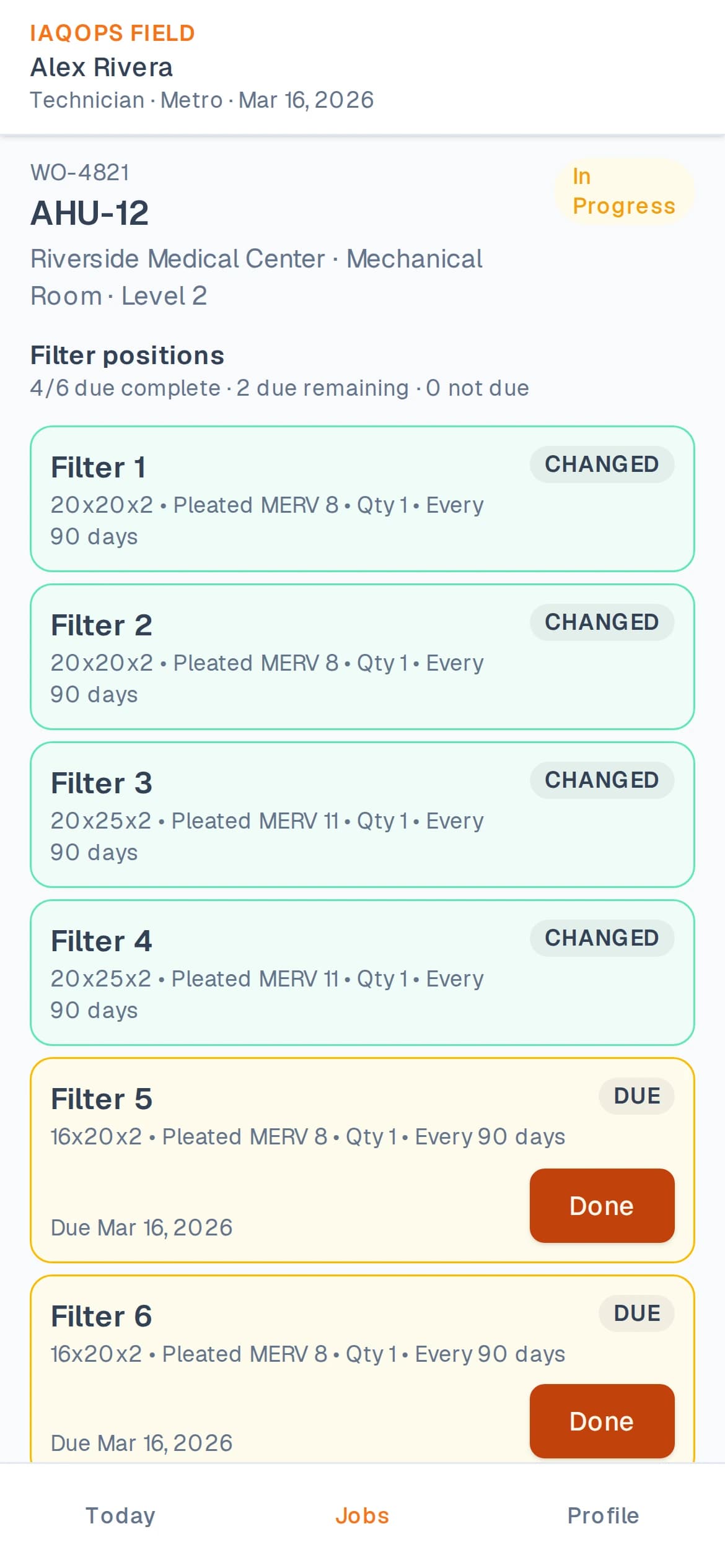
Platform
Active jobs, technician progress, and drill-down into the work behind every status.
Recurring work, assignments, branch visibility, and dispatcher control.
Shortages from upcoming work — before the truck leaves the yard.
Service-specific workflows, photos, sync, and office-to-field accountability.
Required photos, Random QC Challenge, duplicate-photo detection, and duct/coil visual QC.
Technicians send filter and asset corrections for office review — not silent field edits.
Coming to IAQOps
IAQOps is expanding beyond managing the work. The next generation of IAQOps is being built to help operations leaders understand what is happening across their workforce, schedules, routes, training, quality, and field operations — and what they should do next.
Better data. Fairer decisions. Stronger operations.
Understand performance using comparable work, quality, workload, crew conditions, and operational context — not isolated numbers.
Learn more →Build stronger schedules using workload, travel, weather, skills, equipment, access requirements, and historical performance.
Learn more →Understand staffing needs, training gaps, crew strengths, skill coverage, and where operational capacity is being gained or lost.
Learn more →Turn operational data into evidence-based recommendations for coaching, recognition, scheduling, staffing, and management decisions.
Learn more →Raw Performance
37% slower
than general average
Operational Context
Context-Adjusted Performance
8% slower
than expected
Performance data without context can mislead.
Service solutions
Filter service, fire damper inspections, duct cleaning, and coil cleaning — not a generic CRM or generic field-service platform.
Recurring filter programs, unit-by-unit records, inventory connection, technician verification, and QC challenges.
Damper history, pass/fail results, deficiencies, drawing navigation, and duplicate-photo integrity controls.
Required before/after photos, office-controlled photo workflows, and visible surface cleanliness verification.
Commercial coil documentation with required before/after photos, visual QC, and lasting service history.
These service types are not yet started as first-class IAQOps workflows.
Operational accountability
When a technician finds a different filter size, asset condition, or site requirement, IAQOps routes a change request for office review — creating an audit trail between planned work and what was actually found in the field.
See field change requests →Customer Portal
Customers can access building visibility, asset and service history, photos, reports, upcoming work, unit-level history, and completed documentation — without turning the office into a full-time status desk.
See IAQOps on your operation
Plan the work. Prepare the inventory. Execute in the field. Verify the service. See it live — with office, warehouse, technicians, and completed records connected.